
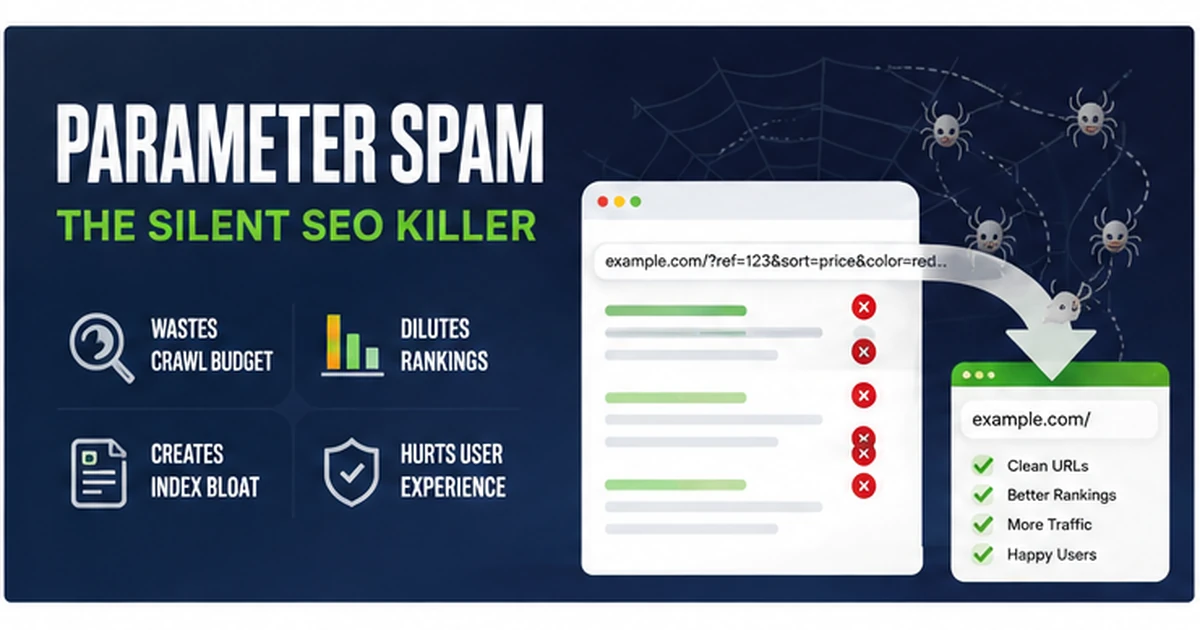
Parameter spam buries a clean site under thousands of junk URLs. How to find it in Search Console, kill it with 410 Gone, and prove the recovery.
You open Google Search Console expecting to check rankings or indexing, and suddenly the website appears to have hundreds - sometimes thousands - of URLs you never created.
They may look like /?random=938282, /services.html?ref=garbage or a perfectly valid page with a nonsense query string bolted onto the end. The real site might contain 60 pages while Google has discovered 400, 1,000 or many more URL variations.
That is the problem we broadly call parameter spam. Not every parameter is malicious, but unknown parameters on a site that expects clean URLs can create crawl noise, duplicate URL variations and a very messy indexing report.
What is parameter spam?
A URL parameter is the part after the question mark. In https://example.com/seo-services.html?source=google, the real page is /seo-services.html and ?source=google is the parameter.
Some parameters are legitimate. Advertising and analytics platforms use values such as utm_source, utm_medium, utm_campaign, gclid, gbraid, wbraid, fbclid and msclkid. Those can have a real tracking purpose.
The problem starts when bots generate meaningless combinations against real pages and the server happily returns 200 OK for every variation. The content may be identical, but the requested URLs are different, so search engines have more noise to crawl, classify and canonicalise.
Where do you notice parameter spam?
Google Search Console Page Indexing
This is often where we first notice it. A relatively small website suddenly shows a large increase in known but non-indexed URLs. Suspicious variations can appear under Crawled - currently not indexed, Discovered - currently not indexed, duplicate/canonical categories or Not found.
URL Inspection
Take one suspicious URL and inspect it. You can see whether Google discovered it, crawled it, selected another canonical or received an error response.
Crawl Stats and server logs
If the volume is large enough, crawl activity can rise even though you published nothing new. Server logs make the pattern even clearer because you can see the actual requests arriving for nonsense parameters, fake CMS routes and common vulnerability probes.
Search results
In severe cases, odd URL variations may surface in a site: search. Treat that as a clue rather than an exact index count, but it is useful for seeing what kinds of junk Google has encountered.
How does parameter spam happen?
There is no single cause. Dynamic filters can legitimately generate too many combinations. Bots also scan the internet constantly, testing parameters, looking for vulnerable CMS routes, exposed files, open redirects, injection points and other mistakes.
Seeing parameter spam does not automatically mean someone personally selected your company for a sophisticated negative-SEO attack. A large amount of this activity is automated and indiscriminate. The important question is not who requested the junk URL. It is what your server says when they do.
What is the point of the attack or probe?
- Index pollution: create or expose large numbers of junk URL variations around a legitimate domain.
- Crawl consumption: give crawlers unnecessary URLs to investigate.
- Vulnerability discovery: test whether parameters, CMS routes or exposed files behave in exploitable ways.
- Cache and analytics pollution: create unnecessary cache keys or contaminate traffic data.
- Spam and redirect exploitation: test whether a legitimate domain can be made to serve, redirect to or appear associated with unrelated content.
The first rule: do not block every parameter
The cure can be worse than the problem if you kill legitimate tracking. A static business site may still need campaign parameters for Google Ads, Meta, Microsoft Ads and analytics.
That is why we prefer an allowlist: recognised campaign parameters continue to work; unknown query strings receive the response appropriate to the site architecture.
Stop returning 200 OK for junk URLs
If /seo-services.html is the real page and /seo-services.html?whatever=82736273 has no purpose, returning the normal page with 200 OK creates unnecessary ambiguity. Canonicals help, but on a clean static site we can often make the server response more decisive.
A legitimate page should look legitimate to the server. A junk URL should not be rewarded with the same 200 response.
Where 410 Gone fits in
410 Gone says the requested resource is not available and should be treated as permanently gone. On Apache, the [G] rewrite flag returns 410.
RewriteRule ^old-page\.html$ - [G,L]Google can remove genuinely dead content after seeing either a 404 or a 410. We use 410 where we want to express the intent clearly: this route is retired, irrelevant or should not exist on this site.
Hardening .htaccess against parameter spam
On a static Apache site that expects clean URLs, a simplified pattern can allow recognised marketing parameters and return 410 for unknown query strings:
RewriteEngine On

# Allow recognised campaign / tracking parameters.
RewriteCond %{QUERY_STRING} !^$
RewriteCond %{QUERY_STRING} !^((utm_(source|medium|campaign|term|content)|gclid|gbraid|wbraid|fbclid|msclkid|li_fat_id|ref|v)=[^&]*&?)+$ [NC]
RewriteRule ^ - [G,L]
Do not paste a rule like that into ecommerce, booking, search or application sites without understanding how the site uses query strings. The rule has to match the architecture.
Hardening common exploit paths
Parameter noise is often accompanied by requests for WordPress, phpMyAdmin, environment files, Git repositories and other common targets. On a static site those routes have no legitimate job.
RewriteRule (^|/)(wp-admin|wp-login\.php|xmlrpc\.php|administrator|phpmyadmin|pma|cgi-bin|vendor|node_modules|\.git)(/|$) - [G,L,NC]The point is not to pretend a 410 is a firewall. The point is to reduce ambiguity and make dead routes die cleanly while the rest of the server hardening does its job.
What about unknown routes?
Static sites have an advantage: we know which files and directories really exist. Unknown routes can therefore receive a deterministic response.
RewriteCond %{REQUEST_FILENAME} !-f
RewriteCond %{REQUEST_FILENAME} !-d
RewriteRule ^(.+)$ - [G,L]
Again, that is appropriate for certain static sites, not every CMS or application.
404 cleanup still matters
A hardened site still needs a useful 404 page. Visitors mistype URLs, old external links survive and real pages move. The crucial distinction is between the visual error page and the HTTP response.
Your custom 404 can offer navigation and help people recover, but the server must still return 404 Not Found. If the page looks like an error while secretly returning 200 OK, you have created a soft-404 problem.
And do not automatically redirect every missing URL to the homepage. If an old page has a genuine replacement, 301 it there. If it has no replacement, let it be 404 or 410.
Clean the sitemap as part of recovery
The XML sitemap should contain the URLs you actually want indexed - not redirects, 404s, 410s, parameter variations, staging pages or obsolete junk.
After a spam cleanup, the sitemap becomes the clean declaration of the site you want search engines to understand now.
How we test the cleanup
Never assume a rewrite rule works because it looks correct. Test the actual HTTP response.
curl.exe -I "https://example.com/?junkparameter=123456"
curl.exe -I "https://example.com/random-page-that-does-not-exist"
curl.exe -I "https://example.com/"
curl.exe -I "https://example.com/?utm_source=google"
For a hardened static setup, the first two may be expected to return 410, the real homepage should still return 200, and the recognised campaign parameter should continue to work normally.
A security rule that fixes junk URLs by destroying legitimate attribution is not a successful rule.
Why Google Search Console can still say “Not found (404)”
This catches people out. You can test a dead URL yourself and see 410 Gone, while Search Console groups it inside a Not found (404) report. That does not automatically mean the 410 failed.
The practical test is the HTTP status your server returns. Search Console reporting is useful for trend monitoring, but it is not a replacement for testing the response directly.
Should you block the junk in robots.txt?
Usually not as the first recovery move if you specifically want Google to discover that the URL is gone. Blocking crawling can prevent the crawler from seeing the 404 or 410 response.
If the objective is “crawl this URL, see that it is dead and update your records,” then returning the correct status is often more useful than hiding the route from the crawler.
How long does parameter-spam recovery take?
The server-side fix is immediate. Once the rewrite rules are live, the next junk request can receive the correct response immediately.
Search-engine cleanup is slower. Google has to revisit URLs it already discovered, process the new response and update its systems. Small incidents may start improving within days or weeks. Larger historical sets can take several weeks or longer to unwind.
The direction matters more than the first snapshot. If 450 non-indexed junk URLs becomes 300, then 180, then 60 while your real indexed pages remain stable, the cleanup is doing its job.
Parameter-spam recovery is really about removing ambiguity
The goal is not to stop every bot on the internet from requesting nonsense. You cannot.
The goal is to make the website answer consistently:
- Real page: 200 OK
- Page moved to a real replacement: 301 Redirect
- Missing page: 404 Not Found
- Deliberately retired junk route: 410 Gone
- Recognised tracking parameter: allow it
- Unknown parameter with no job on the site: reject it according to the architecture
Once the server makes those distinctions clearly, search engines have a much cleaner environment to process.
We can inspect the URL noise before changing anything.
We check the sitemap, status codes, parameter patterns, canonicals, internal links and server rules, then separate real SEO problems from harmless bot requests.
Ask us to inspect the site →Sources and further reading
For the underlying technical behaviour, see Google Search Central’s guidance on 404/410 crawling errors, canonicalisation and recrawling, plus the Apache mod_rewrite flag documentation.